
Close
Acxiom is a data broker selling consumer data to businesses for marketing purposes. It is one of the largest data brokers and they operate globally.
The information they collect about you includes everything from home addresses to purchase history to website registrations. Fortunately, opting out from their data collection is a relatively easy process.
First, go to the Acxiom U.S. Consumer opt-out page at https://www.acxiom.com/optout/.
Scroll down the page and you will see a simple looking form. This form will allow you to opt-out from the sale of your data, but will not delete your data from the Acxiom system. We will handle that in Step 8 below, but for now, you will be filling this form since it is recommended to do both opt-out AND deletion of your data for complete privacy.
Note that completing this form will not opt-out your data from organizations that have already purchased your data from Acxiom, but will prevent future sales of your data.
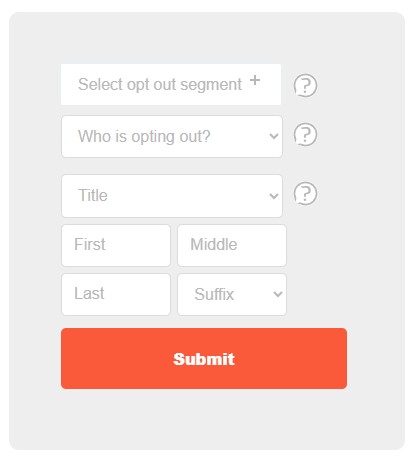
Click the very first box of the form and you will see three types of data you can choose to opt-out. Of course, we recommend you opt-out from all three.
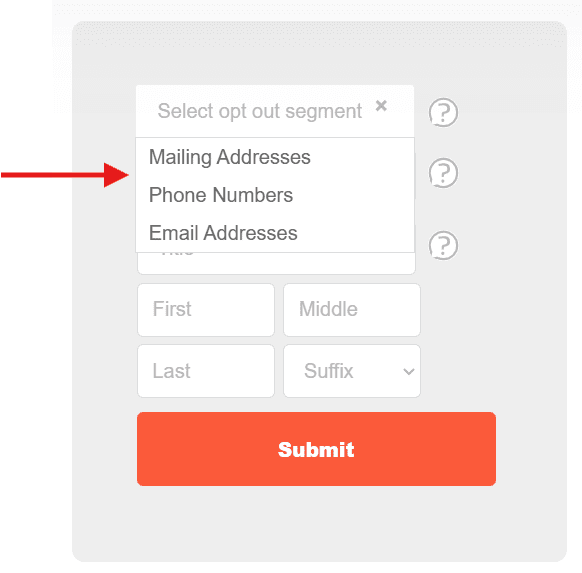
After you click the box, it will open to drop-down three options. You may choose one, two or all three of the options. Simply click on an option to add it to your choices for opt-out.
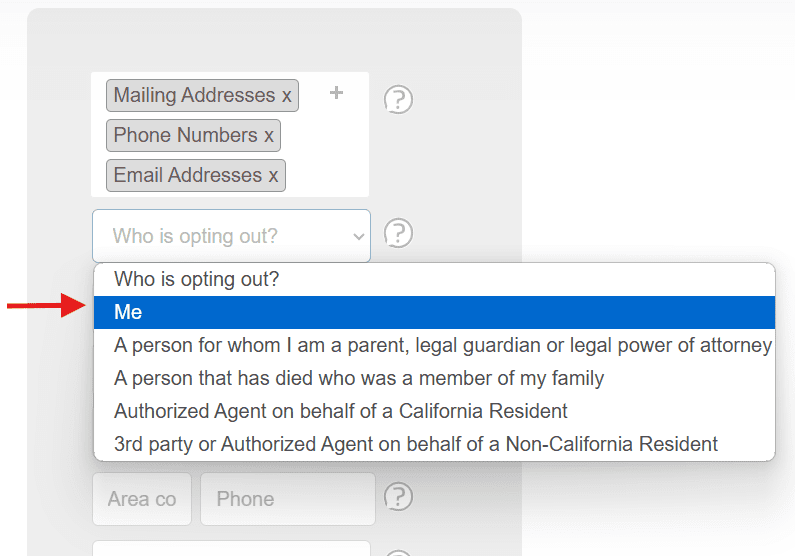
Below is what the form will look like when you have selected all three opt-out types. Note that you can de-select any one of them by clicking the “x” next to the option.
The second box asks “Who is opting out?” — click this dropdown and select “Me”.
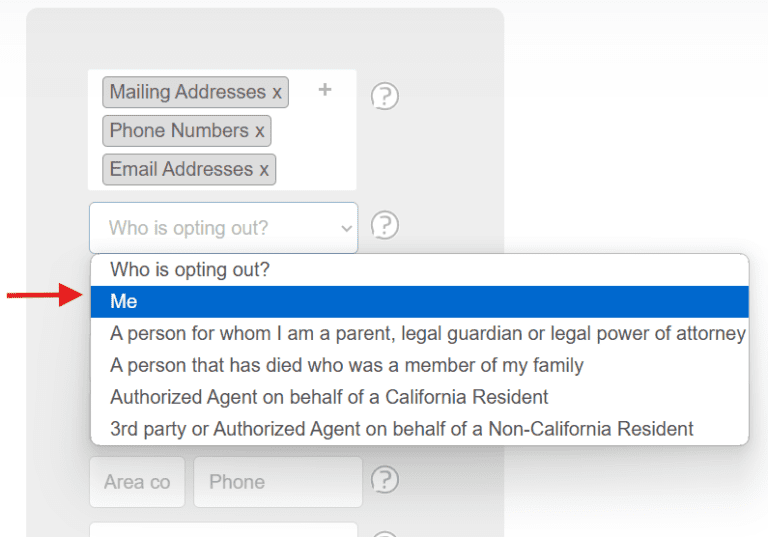
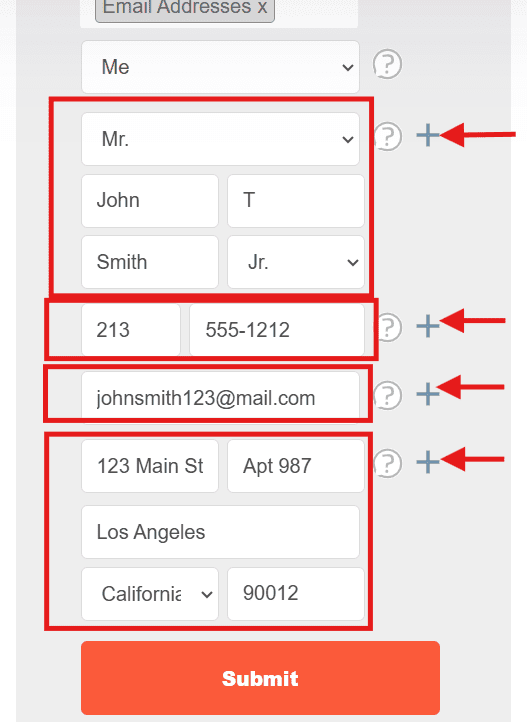
Depending on the types of opt-outs you specified in Step 2, you will need to enter various pieces of information.
Once you have entered the required information, you will see “+” signs to the right of the information boxes for various sections of form fields. When you’re finished entering the information for each section of the form, click the corresponding “+” sign to confirm the entry.
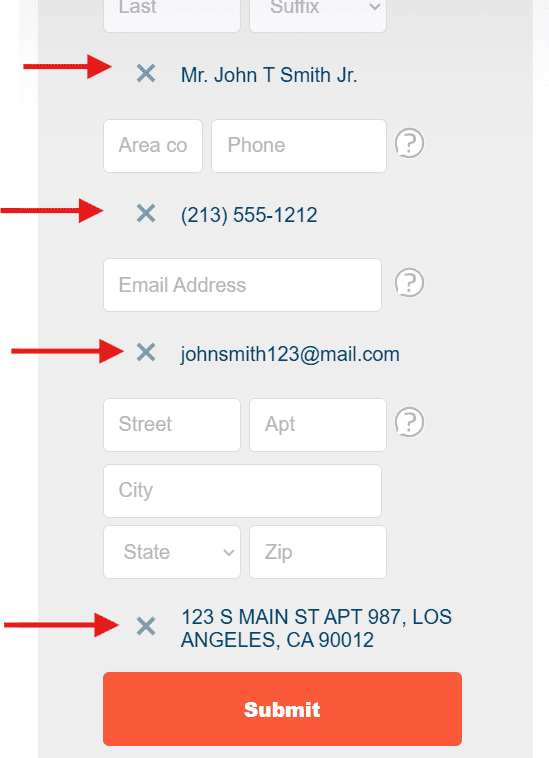
When you’ve clicked the “+” signs the form will look like this below. If you want to correct or start over with any of the form sections, you can click the “X” next to a section’s information to remove your entries and return to those fields of the form.
If you’re satisfied with your entries, click the SUBMIT button.
IMPORTANT NOTE: if you are opting-out your email address, be sure to enter the email address you want to opt-out in the “Email Address” field. In the next step, you will need to provide a confirmation email address to receive the confirmation email — this confirmation email address does not need to match the email address you are opting-out here.
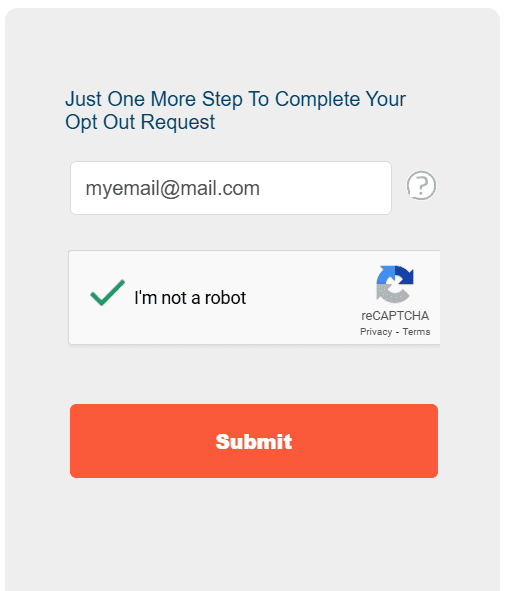
After you have clicked the SUBMIT button, you will have to finish one final step. Here you will need to enter a valid email address where you will receive a confirmation email from Acxiom for the opt-out request. Be sure to enter a valid email address you can access and then complete the CAPTCHA before clicking the SUBMIT button again.
We recommend you use a disposable email address here as data brokers are known to sometimes add your email address to their list even if it is used for the purpose of opting out!
Now check the email inbox for the address you provided in the previous step. You should shortly see a confirmation email from Acxiom. There is a confirmation link in that email which you need to click to finalize your opt-out request.
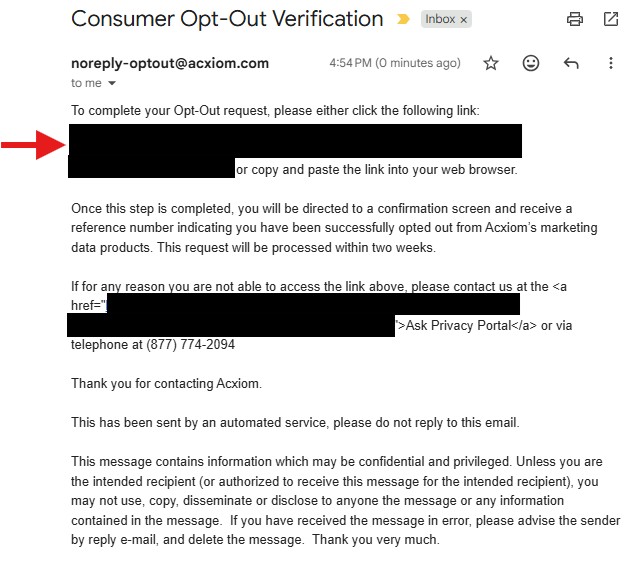
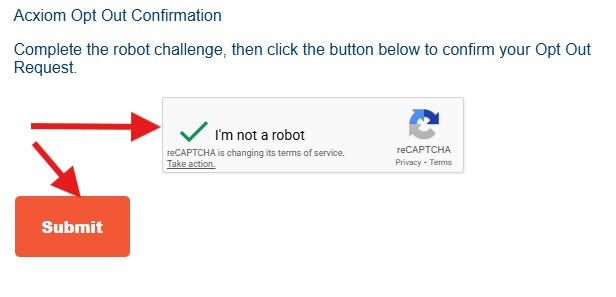
After clicking the link in the confirmation email, you will return to Acxiom where you will need to complete the Captcha challenge (“I’m not a robot”) and then complete the submission with the button. At this point you have successfully opted-out from the sale of your data.
BUT… there is still another process to complete: DELETING your data from the Acxiom system (read on).
Return to the opt-out page at https://www.acxiom.com/optout/.
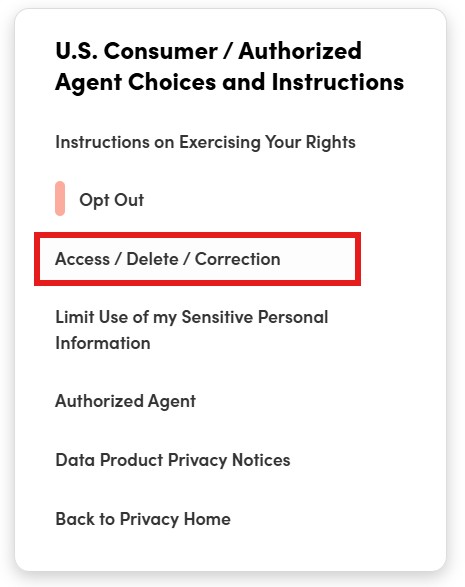
On a desktop or laptop computer, you will see a section along the right side of the screen “U.S. Consumer / Authorized Agent Choices and Instructions“… on a mobile device you will need to scroll down the page to see this section.
Click the option “Access / Delete / Correction“.
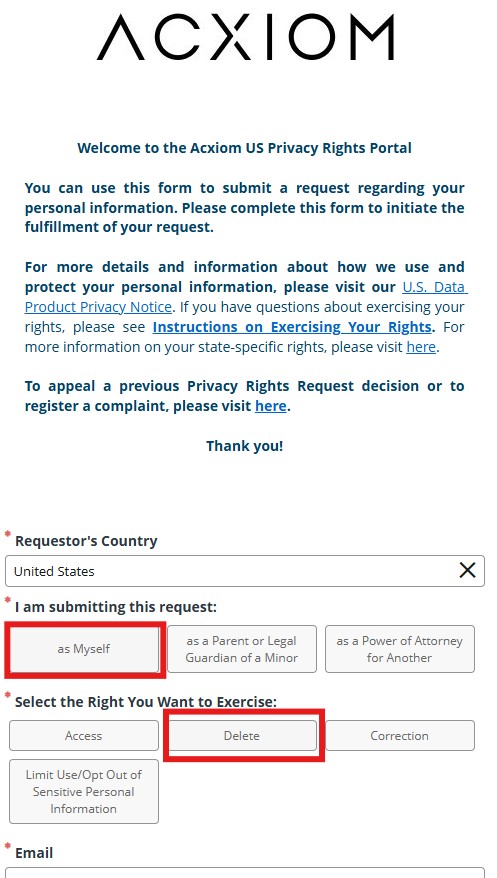
Now you will see a new page — the U.S. Privacy Rights Portal.
Scroll down to the form and for “I am submitting this request” select “as Myself“. For “Select the Right You Want to Exercise” select “Delete“.
Then continue to complete all the fields of the form and check the “I’m not a robot” captcha before submitting the form.
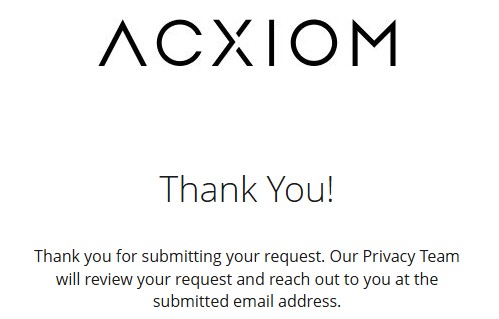
When your submission is successful, you will see a “Thank You!” message.
Be sure to monitor the email inbox of the address you provided in case the Acxiom Privacy Team requires additional confirmation of your identity to complete your data deletion request.